How to install the Visual C++ Redistributable
Categories APIs and Plug-ins
When you import SKP 3D models into QubiMap, errors may occur if the Visual C++ Redistributable is not installed on your PC.
In this case, follow the steps to install the Visual C++ Redistributable:
-
Visit the website:[https://docs.microsoft.com/en-US/cpp/windows/latest-supported-vc-redist?view=msvc-170]{.underline}. Select one of the following three versions as needed:
-
ARM64: For 64-bit ARM architecture computers.
- X86: For 32-bit Intel processor computers.
- X64: For 64-bit Intel processor computers.
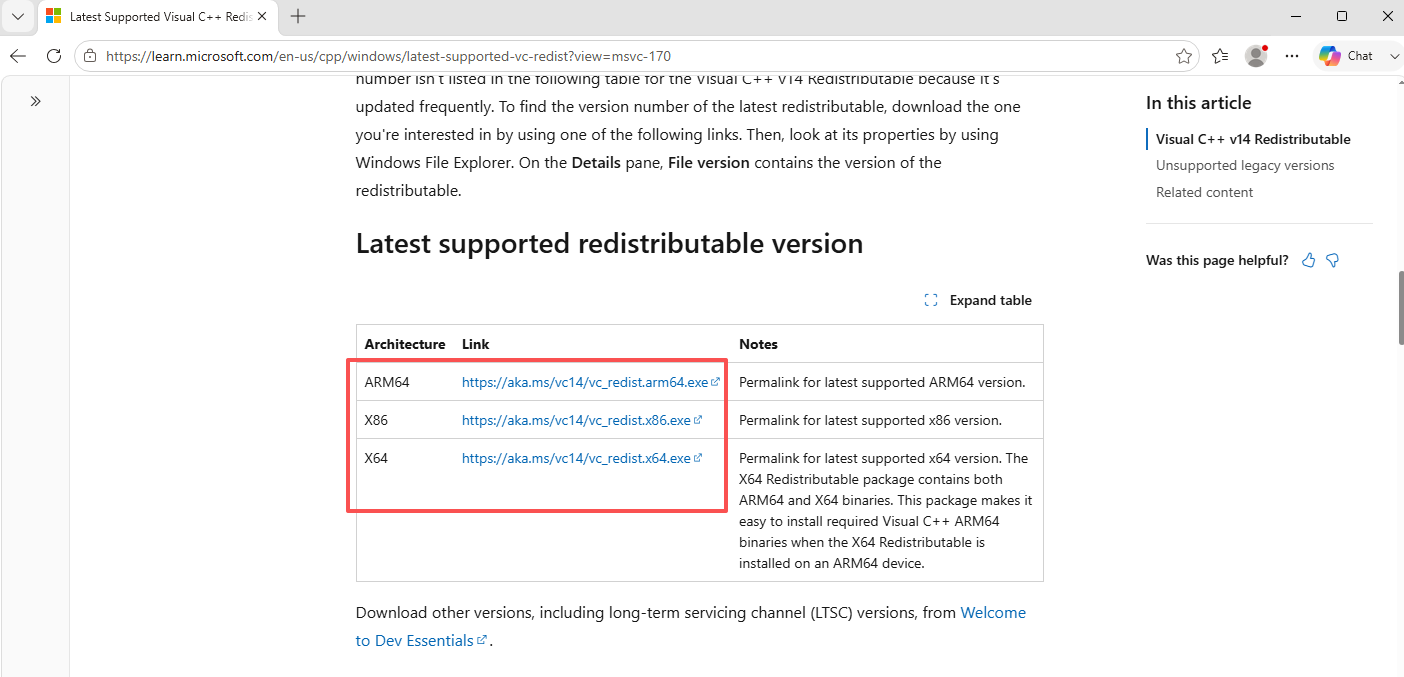
- Click to download the Visual C++ Redistributable.
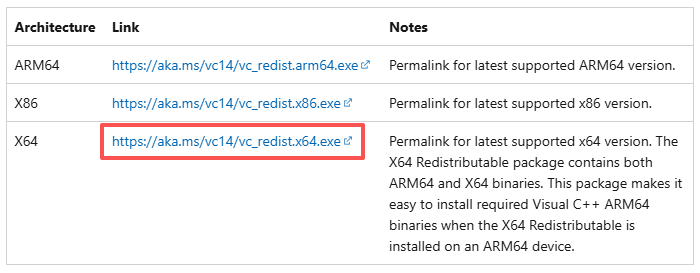
- Double-click the downloaded program to install it.

- After the program is installed, restart your PC.

Then, you import SKP models into QubiMap. For more information, see the help document “How to import 3D models“.